If you build SCORM content, you already know SCORM Cloud. It is made by Rustici Software, the company behind the SCORM specification itself, and it is the closest thing the industry has to a reference implementation. When people say “just throw it in SCORM Cloud”, they mean it the way other people say “google it”.
So let’s be clear about what this post is and is not. It is not an argument that XtoSCORM replaces SCORM Cloud. For hosting, delivery, dispatch and xAPI, it does not come close, and anyone who tells you otherwise is selling something.
What this post covers is the narrower job a lot of designers actually need day to day: checking that a package works, and showing it to someone else. For that specific job, you may not need an account at all.
- What SCORM Cloud is built for
- The smaller job most designers actually have
- Honest comparison
- Which one should you use?
What SCORM Cloud Is Built For
SCORM Cloud is a full content hosting and delivery platform. Its real strengths are the things that happen after a course is finished:
- Hosting and delivery of courses to real learners over time, with persistent registrations.
- Dispatch, which lets you send a course to a client’s LMS while keeping control of the content and being able to update or revoke it later.
- xAPI and an LRS, plus cmi5 and AICC, not just SCORM.
- Deep debugging of runtime data, with full logs of every API call a course makes.
- An API you can build your own platform on top of, which plenty of LMS vendors do.
If you need any of those, nothing in this post applies to you. Use SCORM Cloud. It is genuinely the best tool for that work, and it is maintained by the people who wrote the standard.
The Smaller Job Most Designers Actually Have
Here is the situation that comes up far more often:
You have just published a course out of Storyline, Captivate, iSpring or a converter. Before it goes anywhere near a real LMS, you want to know three things. Does it open? Does it track and report completion? Does the quiz score come through correctly?
Then, usually, a fourth thing: your client or your SME wants to look at it, and they do not have an LMS, an authoring tool, or any interest in creating an account on a platform they will use exactly once.
That job does not need hosting, dispatch, an LRS or an API. It needs a package to open in a browser and a link you can paste into an email.
What XtoSCORM’s SCORM Player does
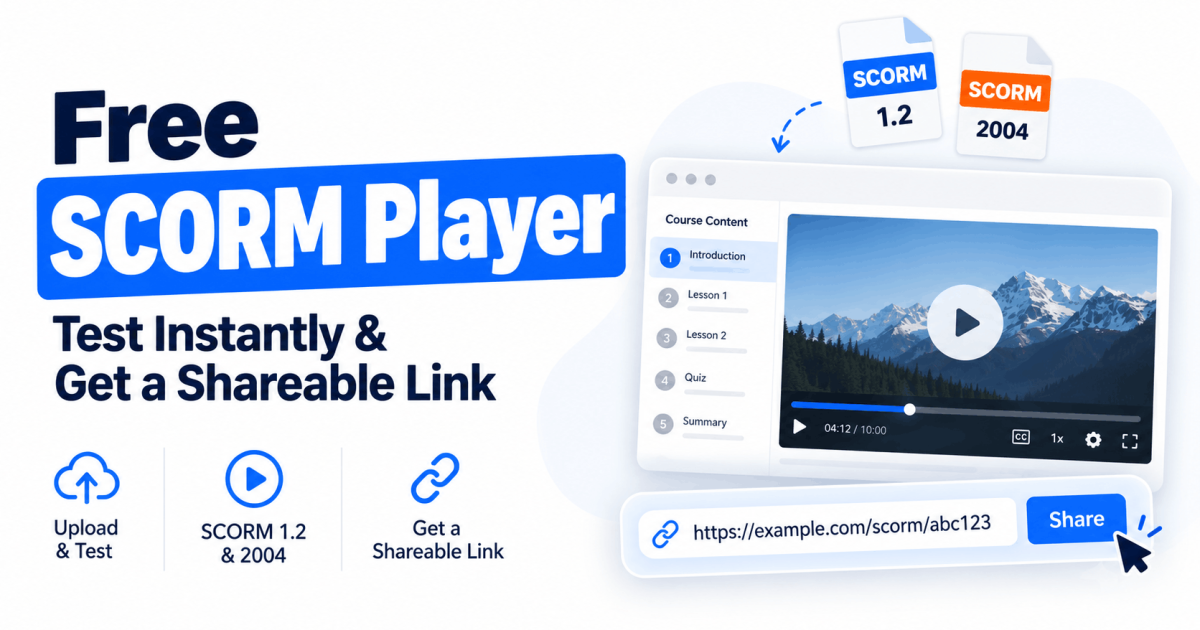
Our free SCORM Player covers that narrow case:
- Upload a SCORM 1.2 or SCORM 2004 ZIP and it opens in your browser straight away.
- It validates the
imsmanifest.xmland flags structural problems, which catches most packages that would fail on LMS import. - It confirms the course connects to the SCORM API and reports completion status, score and suspend data.
- It surfaces missing files, broken links and runtime errors.
- You get a shareable link, emailed to you, so a reviewer can open the course in their browser with nothing to install.
Three ways to share the link
Sharing a course with a client is not always the same as publishing it to the open web, so the link comes with three access levels:
- Public. Anyone with the link can view the course. Best for a demo, a portfolio piece or a course you are happy for anyone to see.
- Restricted. Viewers need to create an account before they can open it. A light gate that keeps the course off the open web.
- Privately shared. You enter specific email addresses, and only those accounts can open the link. Best for client work, unreleased content and anything covered by an NDA.
That last option is the one that matters for agency and in-house teams. Sending a client a review link should not mean putting unreleased training content somewhere a search engine or a competitor can reach it.
No account needed to test a package. No trial clock running in the background.
Honest Comparison
| Capability | SCORM Cloud | XtoSCORM SCORM Player |
|---|---|---|
| Open and preview a SCORM package | Yes | Yes |
| SCORM 1.2 and SCORM 2004 | Yes | Yes |
| Manifest validation and error detection | Yes, with detailed logs | Yes, basic validation |
| Completion, score and suspend data check | Yes, full runtime inspection | Yes |
| Share with a reviewer who has no account | Possible via invitations and registrations | Yes, with a public link |
| Control who can open a shared link | Yes, through registrations | Yes, public, account-restricted or specific emails |
| Account required to start testing | Yes | No |
| Host courses for real learners | Yes | No |
| Dispatch to a client’s LMS | Yes | No |
| xAPI, cmi5, AICC and an LRS | Yes | No |
| Learner records and long-term reporting | Yes | No |
| Developer API | Yes | No |
| Convert PDF, PPT or video into SCORM | No | Yes |
Five of those rows go to SCORM Cloud outright. That is the honest picture, and it is why the two tools are not really competitors. One is a delivery platform. The other is a converter with a free player attached.
Which One Should You Use?
Use SCORM Cloud when you are delivering courses to real learners, dispatching content to clients, working with xAPI or cmi5, debugging a tracking problem that needs full runtime logs, or building a product on top of an API.
Use the free SCORM Player when you want to check a package opens and tracks before uploading it to your LMS, send a course to a client or SME for review, open a SCORM file someone sent you, or confirm a converted package works before you commit to it.
Plenty of people use both, and that is the sensible answer. Quick checks and client reviews happen many times a week. Hosting and dispatch happen when a project ships.
If today’s job is the quick one, you can do it right now.
Common Questions
Is this really free?
Testing a package in the SCORM Player is free and does not require an account. Our paid plans cover the conversion tools, which turn PDF, PowerPoint and video files into SCORM packages.
Can I use it to deliver training to my team?
No, and you should not try. There is no learner record, no enrolment and no long-term reporting. Converted packages are meant to be uploaded to your own LMS, which is where delivery and tracking belong.
Does it support xAPI or cmi5?
No. SCORM 1.2 and SCORM 2004 only. If you need xAPI or cmi5, SCORM Cloud is the right tool.
Can I control who opens a shared link?
Yes. Each link is set to public, restricted so viewers must create an account, or privately shared with specific email addresses. For client work and unreleased content, use the private option.
What happens to the package I upload?
A package you upload just to test is processed for preview and deleted automatically afterwards. If you create a shareable link, the package is kept for as long as that link is active so reviewers can open it. See the privacy policy for details.
Is XtoSCORM affiliated with Rustici Software?
No. SCORM Cloud and Rustici are their trademarks, referenced here only to compare the tools fairly.